Home / Our brand

QRkeyA brand of OrderFly Private Limited

The restaurant POS that thinks with you.

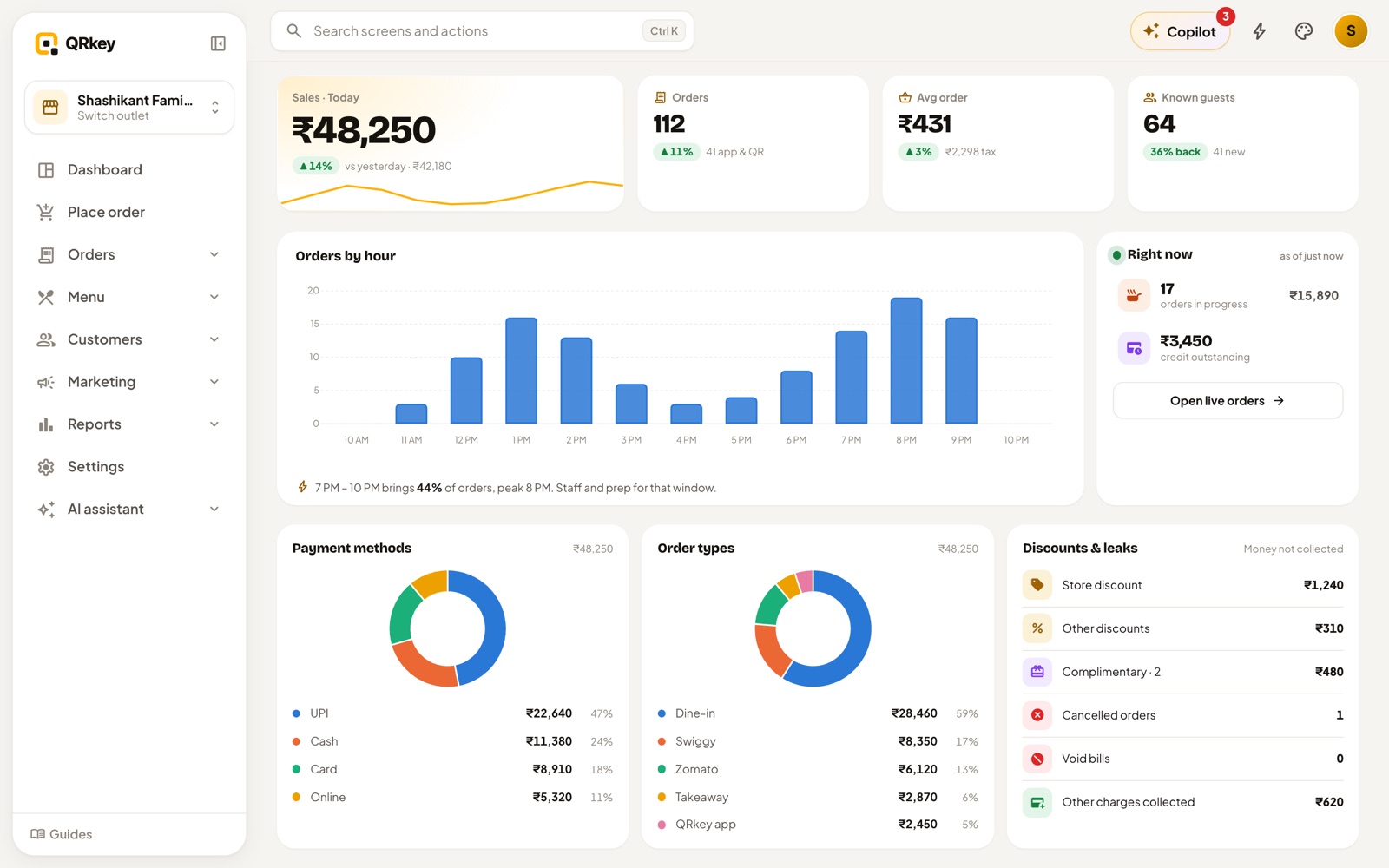
QRkey runs a restaurant's whole day in one system: billing, kitchen, QR and online orders, aggregators, menu, stock, staff and reports, with AI helpers built into every part. OrderFly builds it, runs it and supports the outlets that use it.

One screen for every order

Dine-in, takeaway, delivery, QR orders from the table, orders from the outlet's own online store, and Swiggy and Zomato orders all land in the same queue. Kitchen tickets go to the right station, and the day closes with reports the owner can read.

Millionsof orders processed
10,000+support tickets resolved
0%commission on own orders
What QRkey does

Everything a restaurant runs on, in one system.

Billing & tables

  • Dine-in, takeaway and delivery from one screen
  • Split bills, move items, table covers
  • Discounts, charges and GST set up once
  • Mixed payments and credit accounts

Kitchen & bar

  • KOTs printed or on screen for each station
  • Dishes marked preparing, ready or served
  • A live board of current orders
  • Missing-order check so nothing goes unbilled

QR ordering & online store

  • Table QR codes printed from QRkey
  • Guests order and pay from their phone, no app needed
  • A branded store on the outlet's own web address, zero commission

Aggregators & delivery

  • Swiggy and Zomato orders in the same queue
  • Separate prices for each aggregator
  • Payout reconciliation against orders
  • Delivery partner bookings for own deliveries

Menu, stock & staff

  • One menu for the POS, QR menu, store and aggregators
  • Add-ons, diet and allergen tags
  • Inventory, purchasing and recipes
  • Staff roles and permissions

Customers & reports

  • Customer list with visits and spend
  • Loyalty points, rewards and discount codes
  • Day close, sales, tax and excise reports
  • AI helpers that flag what needs attention

Where it runs

Billing works in any browser. The apps add printing and order alerts on the devices at the counter.

Web

The QRkey POS in any modern browser, on a counter computer, tablet or laptop.

Windows

For the billing counter: prints to Windows and network printers, and keeps printing from the tray.

Android

For phones and tablets: Bluetooth, Wi-Fi and USB printers, and new-order alerts even with the screen off.

Downloads and setup guides are on qrkey.in/download.

QRkey links

Website

Features, AI, free tools and blog.

qrkey.in →

Sign in

The QRkey POS and account console.

console.qrkey.in →

Help centre

Answers and how-to guides.

Get help →

QRkey policies

Privacy, terms and refunds for QRkey.

Read policies →

See QRkey working in your outlet.

Book a free demo, or call or WhatsApp +91 98190 62442.